Explore the listing.
Imagine coming home.
Fully automated for your portfolio. A personal experience for your viewers.
Viewers choose an interior style, compare views and imagine your property as their home. SpaceVision automatically prepares suitable room photographs after property import – directly within the listing, under your brand.
Experience SpaceVision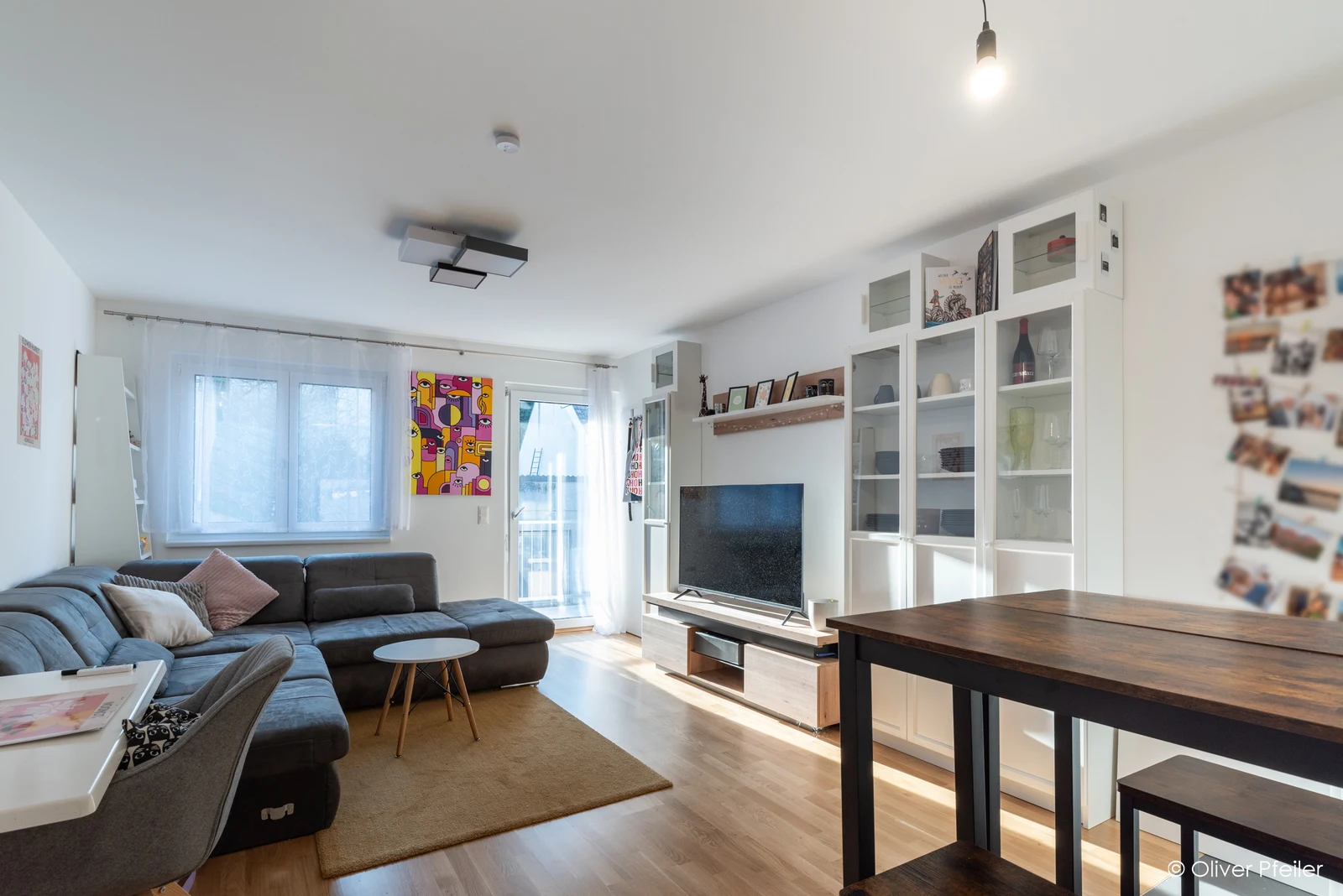
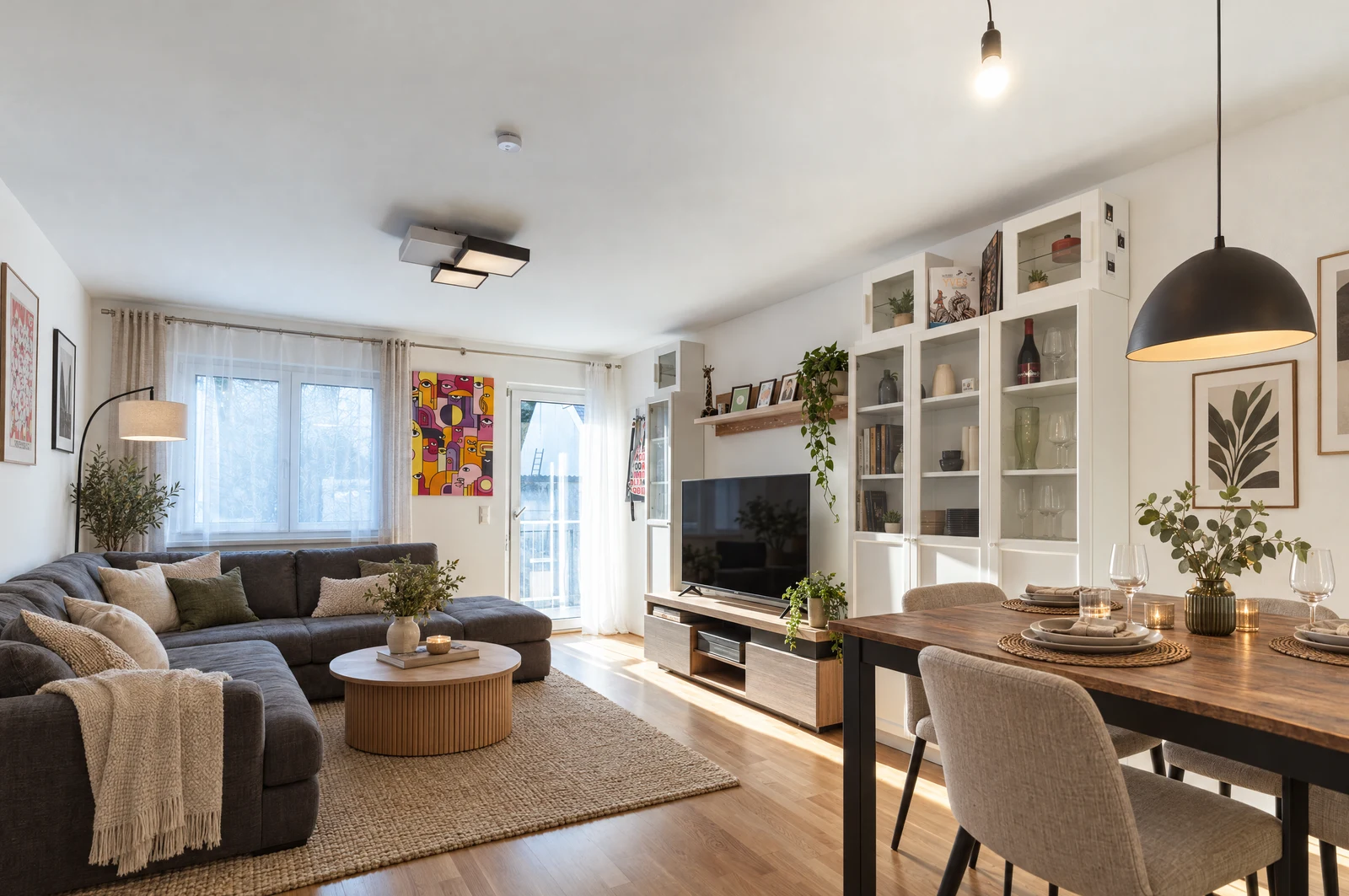
Drag with a mouse or finger. Adjust with the arrow keys.
A different style.
A fresh perspective.
From a first impression to a personal vision: viewers explore available interior styles, compare them with the original and consider the property from their own perspective.
Choose a style
Explore the prepared interior styles within the room.
Compare
Examine the original and the virtual interior side by side.
Imagine moving in
Picture what everyday life in these rooms could feel like.
Virtually stagedI can see myself here.
Room for personal imagination.Configured once.
Automated across your portfolio.
Fully automated after property import.Suitable room photographs. Prepared styles. No individual image orders.
- 01
Import
Properties and photographs arrive in the property centre through the connected source, such as onOffice or Justimmo.
- 02
Room recognition
Suitable interior photographs are identified and classified. Facades, plots and other unsuitable subjects do not receive staging controls.
- 03
Preparation
Approved interior styles are generated, checked and saved in the background for suitable photographs.
- 04
Experience
Within the listing, viewers choose available views, return to the original or compare both – including on mobile and in full-screen mode.
Saved. Ready for the next visit.
Prepared views are displayed again without generating a new image. New photographs or additional styles require fresh preparation.
24 interior styles.
For different visions of home.
Mediterranean warmth, calm Japandi, quiet luxury or considered office design: the collection offers different perspectives on living and working.
Mediterranean
Warm earth tones. Light linen. Natural textures.
All 24 interior styles24
- 01Modern & timeless
- 02Scandinavian
- 03Japandi
- 04Minimalism
- 05Contemporary elegance
- 06Quiet luxury
- 07Warm minimalism
- 08Mid-century
- 09Industrial
- 10Loft
- 11Boho
- 12Wabi-sabi
- 13Mediterranean
- 14Coastal
- 15Modern country
- 16Classic elegance
- 17Art deco
- 18Parisian
- 19Natural & organic
- 20Urban
- 21Modern business
- 22Executive office
- 23Creative studio
- 24Boutique hotel
The collection contains 24 styles. Listings display the styles prepared and approved for each photograph.
An experience for viewers.
A demonstration for owners.
See their own ideas in the room.
By switching between the styled view and the original, viewers can explore possibilities and see how their own ideas might fit the space.
Marketing you can demonstrate.
Use a real property to show how you present rooms and introduce new ideas for living. Make your approach tangible in a conversation with an owner.
One process across your portfolio.
Once connected, suitable room photographs are prepared in the background. Saved views remain available for future visits.
SpaceVision. Within your property centre.
SpaceVision is an add-on system for UDH-Immobiliencenter, bringing virtual interiors directly into your listings. It uses your connected property import and existing brand presence. No separate website is required. Setup and operation are agreed separately.
Explore the property centreIs SpaceVision part of UDH-Immobiliencenter?
SpaceVision is an add-on system for UDH-Immobiliencenter. Virtual interiors appear directly within your listings, under your brand. Setup, scope and operation are agreed separately.
Is it free for visitors?
Yes. Visitors can explore available views without signing up or paying. Setup and operating agreements apply to your real estate business.
Does it work with furnished rooms?
Yes. Existing interiors can be reinterpreted, as well as empty rooms furnished. Suitability is assessed for each photograph.
Are all 24 styles immediately available?
No. The 24 styles form the collection. Only results prepared and approved for the particular photograph are displayed.
How accurate are the virtual views?
Virtual views are labelled as furnishing concepts. Room proportions, windows, doors and perspective are intended to remain intact, but differences may occur. The original photograph remains available for comparison.
Does viewing incur new AI generation costs?
Opening a saved view requires no new image generation. Initial image analysis, additional styles and preparation of changed photographs can incur processing costs.